Using YaPyCon
Launching the console
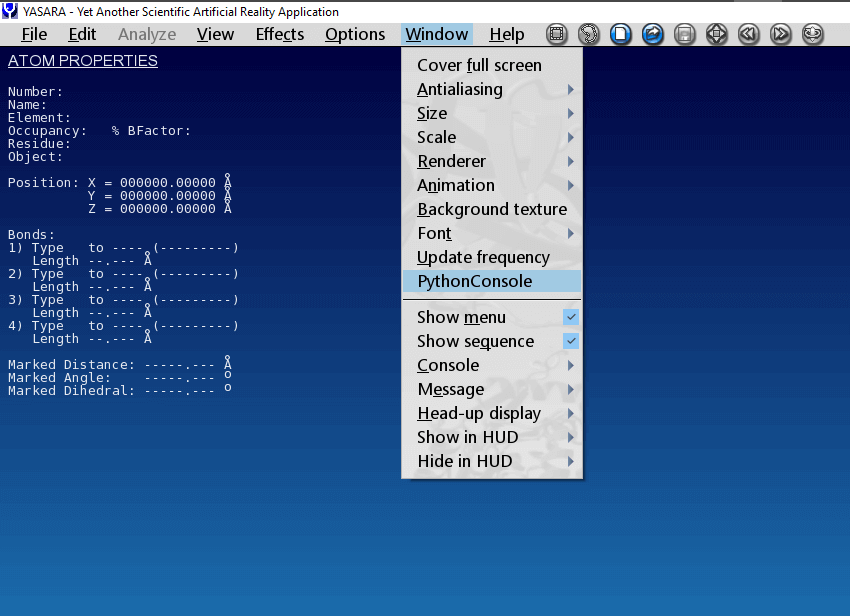
Assuming an uneventful installation process, you can now launch YaPyCon by selecting
“Python Console” from YASARA’s top level “Window” menu option.
This console is identical to an IPython session, providing a Python language shell which executes Python directly.
This console however has minor knowledge of the fact that it was launched as a YASARA plugin. You can still
execute arbitrary Python code in it (e.g. 3+2) but you cannot interact with YASARA until you have imported the
yasara_kernel module (please see Typical use of the console).
When “Python Console” is not available
The main reason for YaPyCon to not show up as an option under “Window” within YASARA is to fail to load one of its dependencies.
This can happen because of two reasons:
A suitable Python virtual environment was not activated prior to starting YASARA.
A Python virtual environment was activated but it did not contain YaPyCon’s requirements. That is,
PyQt5, rpyc, qtconsoleandIPython.
Terminating the console
The console appears like any other application window, so, to close it, simply click on the X at the top right-hand
side of the window or type exit, just as you would in any shell.
Typical use of the console
Once the console is launched, it can perform any kind of computation a typical Python console would but it is not yet
“linked” with the YASARA instance that launched it. To do that, you should first import the yasara_kernel.py module.
This is usually the first thing to import in the console window, with a simple:
In [1]: import yasara_kernel
Or, if you do not want to prefix every command with yasara_kernel., import as:
In [1]: from yasara_kernel import *
After importing the yasara_kernel module, the Python console now becomes a real-time “window” to YASARA’s functionality, with all the useful features expected, such as auto-completion of commands, inline help and others.
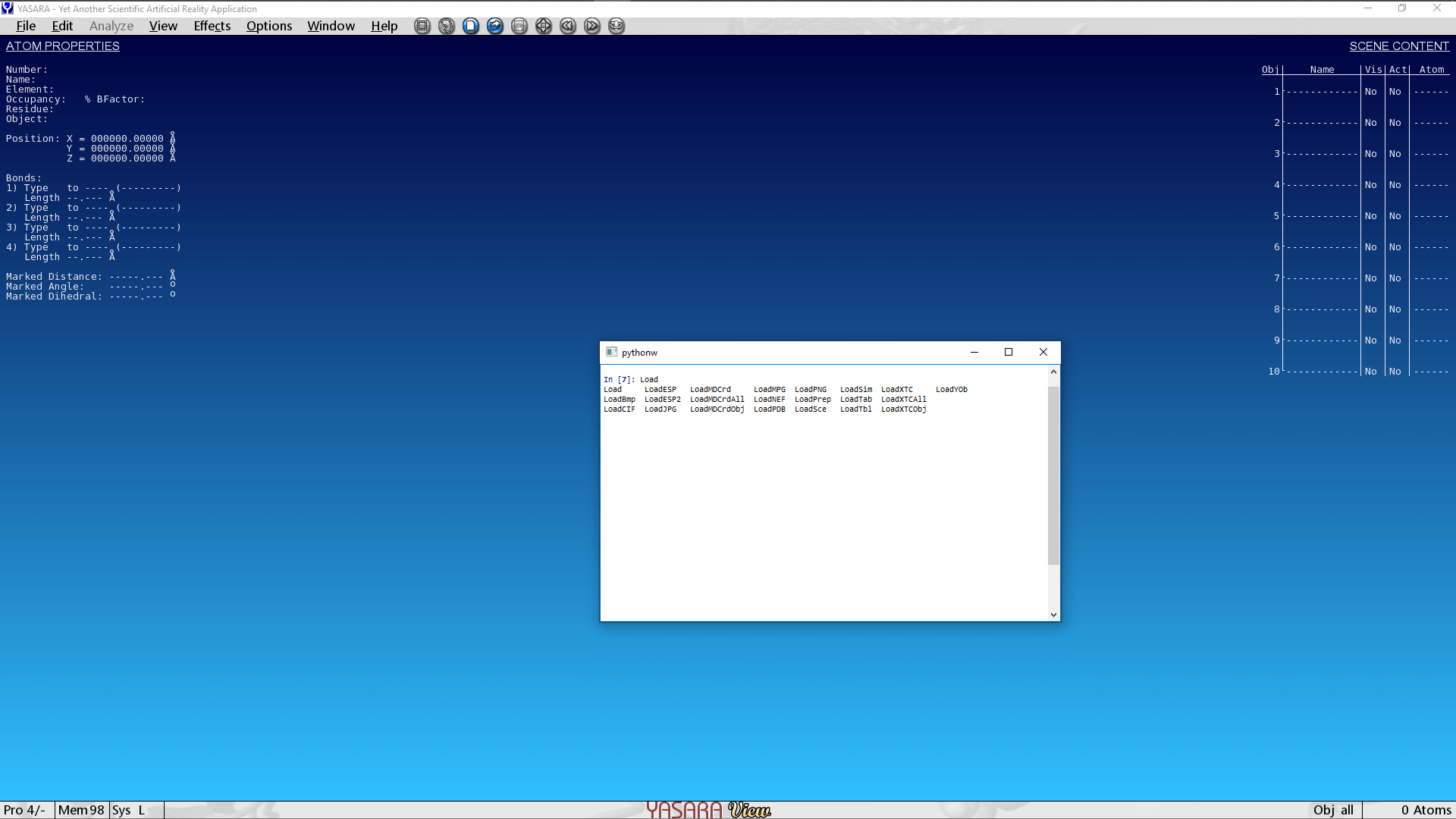
For example, to see all the different functions by which a plugin can load information into YASARA, simply type “Load” and press Tab:
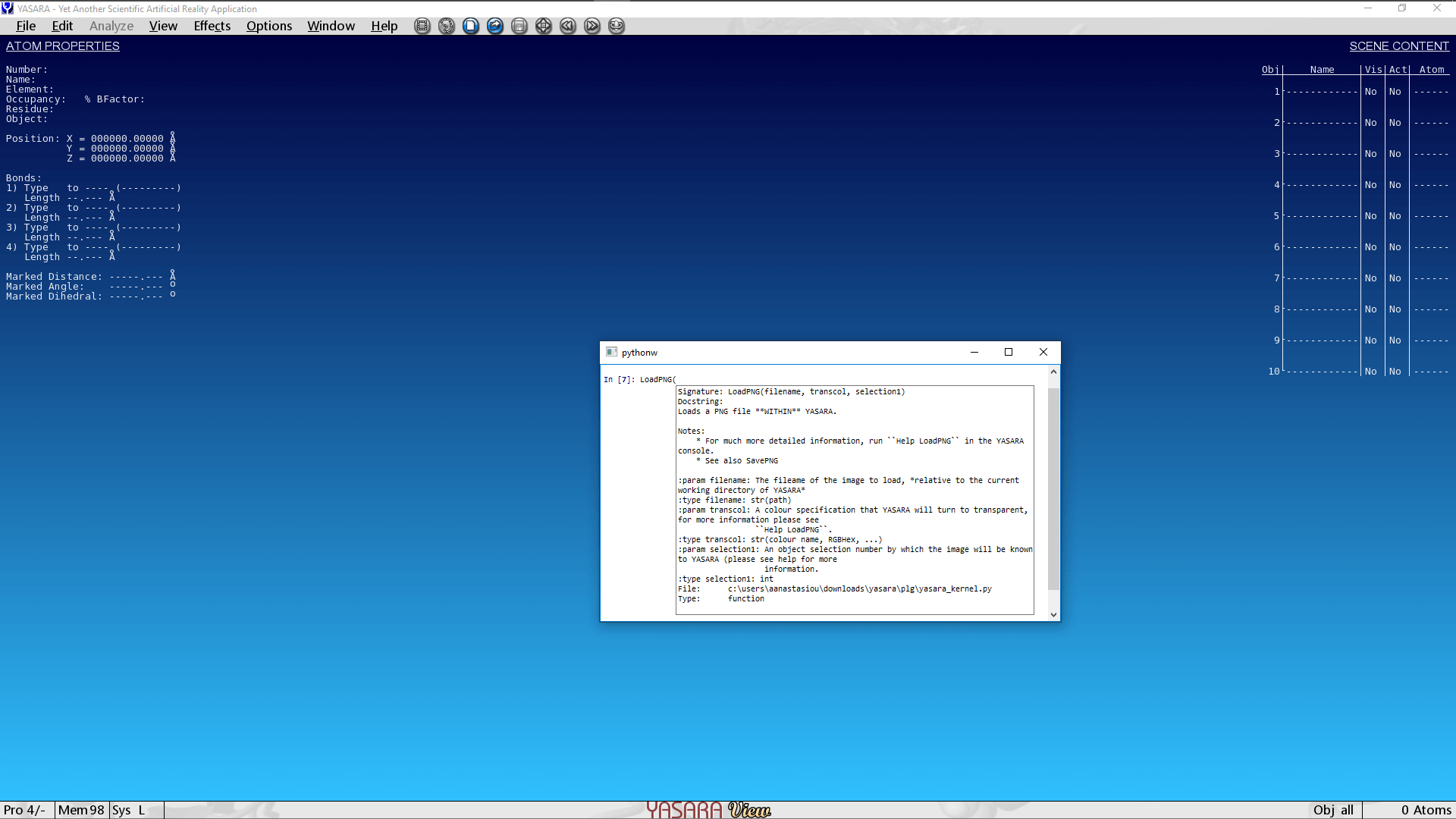
Inline help is provided about each command as you type, for example, typing LoadPNG(... brings up the docstring
of the function.
Note
yasara_kernel.py provides just enough information in some function docstrings to provide reminders for a
function’s use and its parameters.
This does not aim to substitute YASARA’s documentation.
YASARA’s documentation provides much more information about a command, often relating it to a specific scientific usage as well.
YASARA’s documentation system is accessible from within YASARA by pressing Space (to bring up the Yanaconda console)
and then typing Help followed by a particular command. (e.g. Help LoadPNG).
Caveats
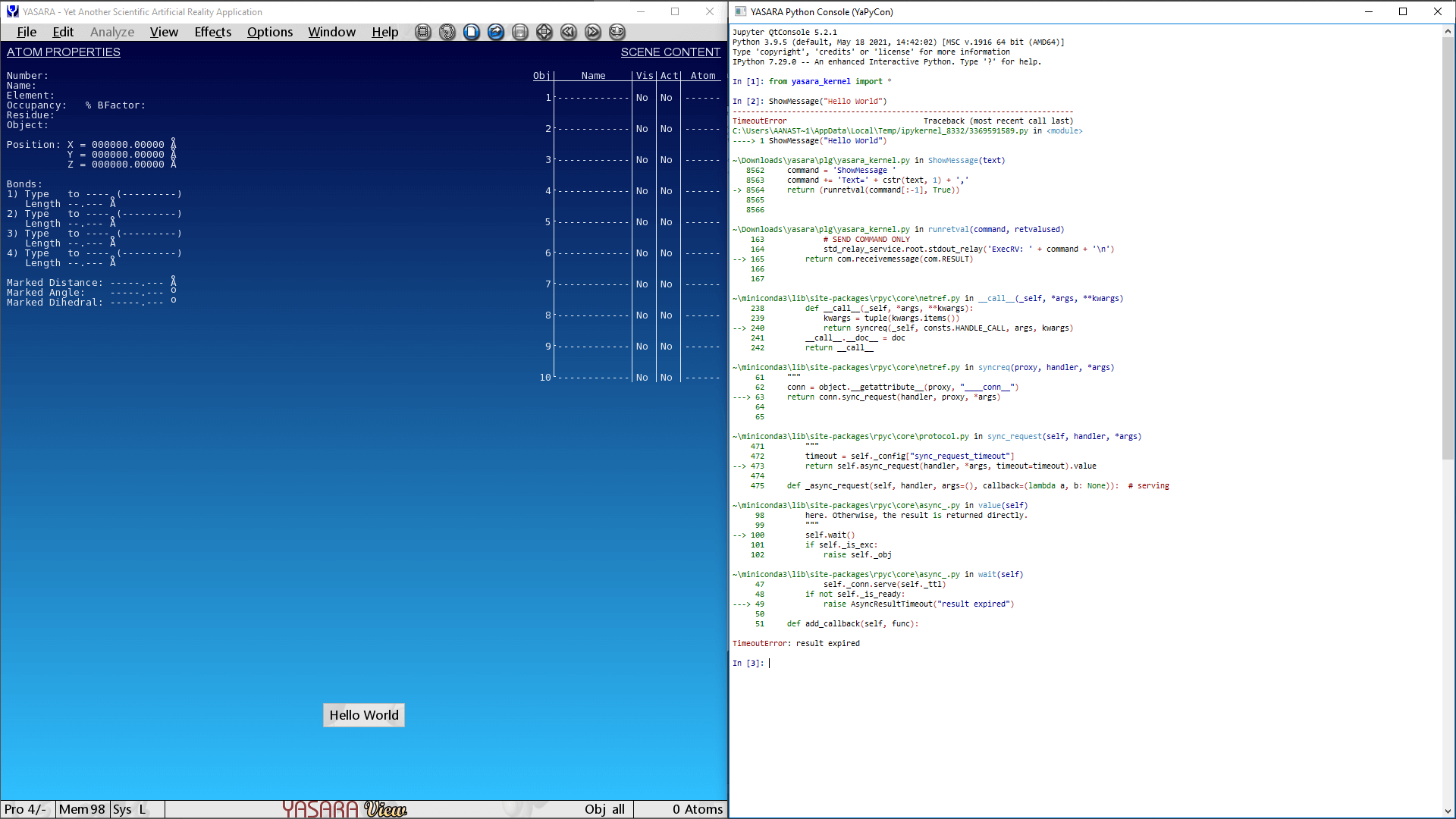
If the Yanaconda console is open prior to making a function call from YaPyCon, it might appear to “hang”, as depicted in the following screenshot:
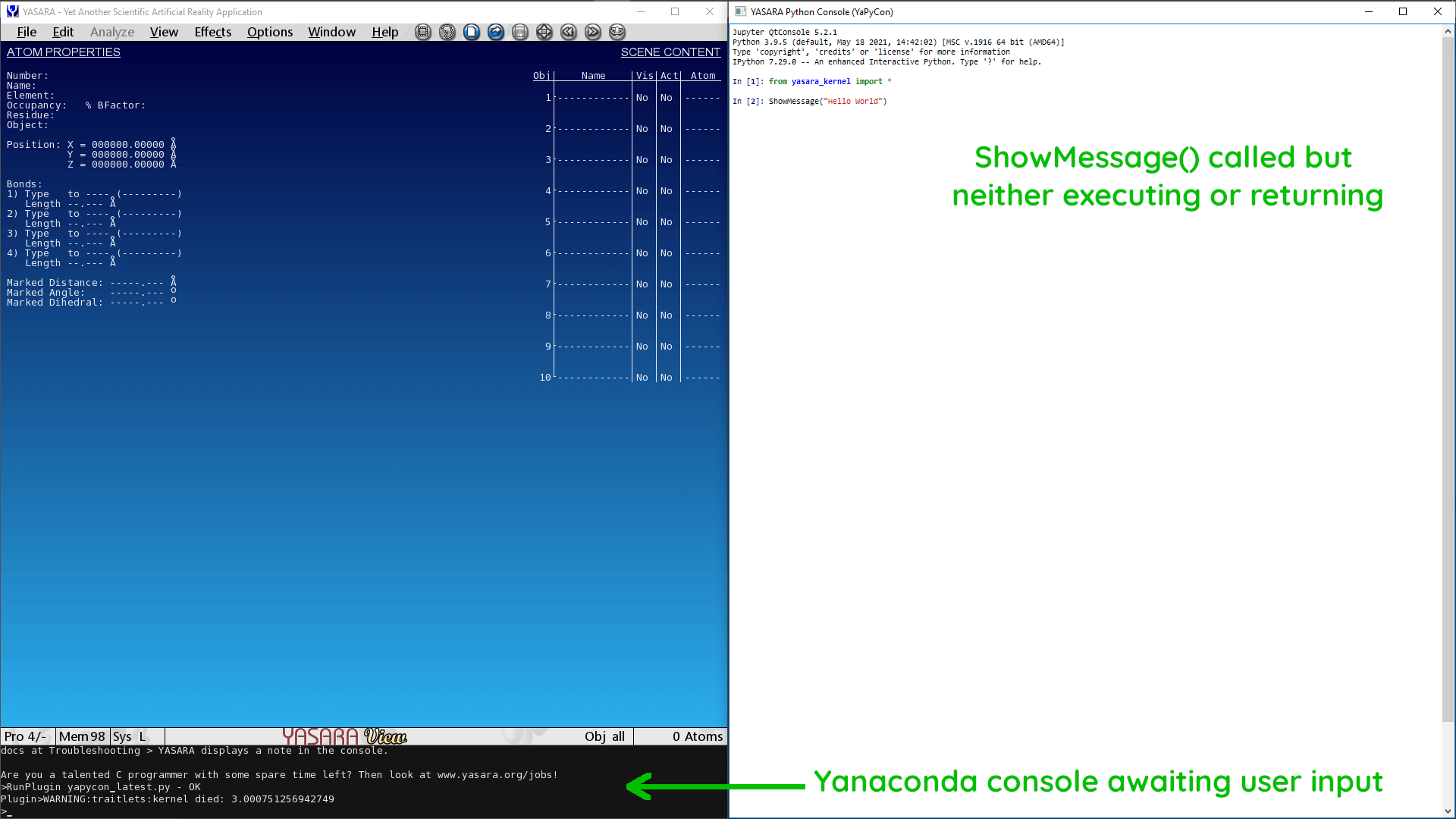
This is a known behaviour and before attempting to restart any process, please make sure that you have closed the in-program console. Even if the plugin appears to “hang” momentarily, it will still go ahead once the Yanaconda console is closed.
If the program remains in this “indeterminate” state for too long (>20 seconds), an error message similar to the one depicted below will be produced. If that occurs, simply close the console and restart it.