Installation
Quickstart
Read this section if:
You already have a working YASARA installation
You already know what “Python” and “virtual environment” are and you can start YASARA with a specific virtual environment activated first.
For more details on the installation process, please see section Installing from scratch.
Installation
Download the latest release of YaPyCon (or clone the repository).
Decompress
yapycon.zipto a directory on your computer.Create a new Python virtual environment that includes YaPyCon’s requirements (see
requirements.txtfromyapycon.zip).Or ensure that the virtual environment of your choice includes the packages listed in
requirements.txt.
Ensure that the environment variable
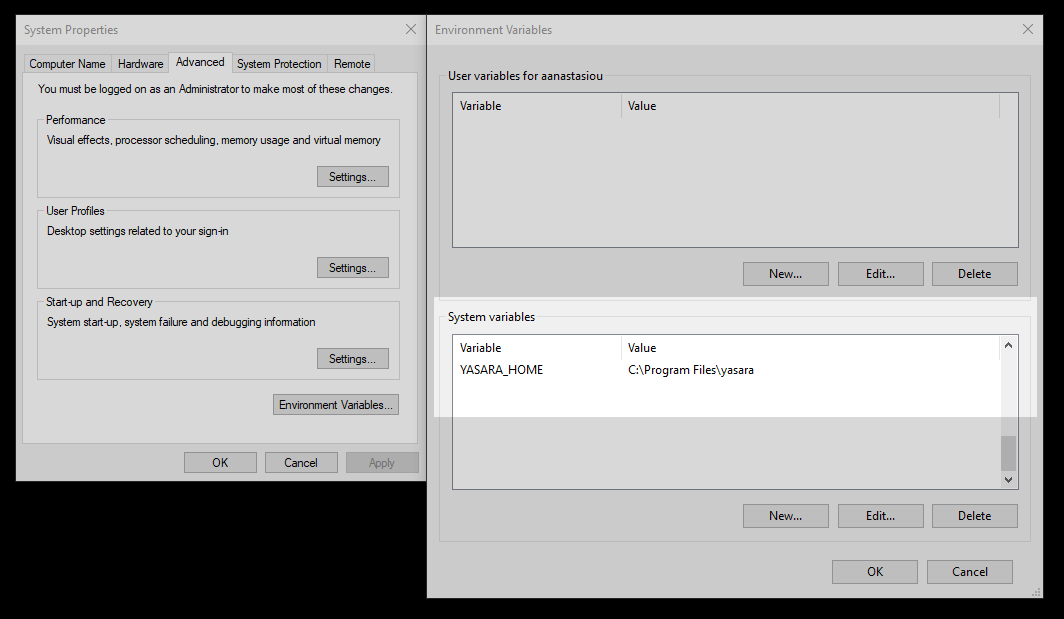
YASARA_HOMEpoints to the top level directory where YASARA is installed.This is the directory that you launch the YASARA executable (
yasaraoryasara.exe) from.In Linux, this can be set with:
> export YASARA_HOME=some/directory/yasara
In MS Windows: Bring up your “Environment Variables” dialog, from “System Properties” (Open your start menu and look for “Edit the system environment variables”. That set of dialogs looks like this:
Run
install_pluginfrom the decompressed YaPyCon release archive.Drop to a terminal, activate the Python environment and launch YASARA.
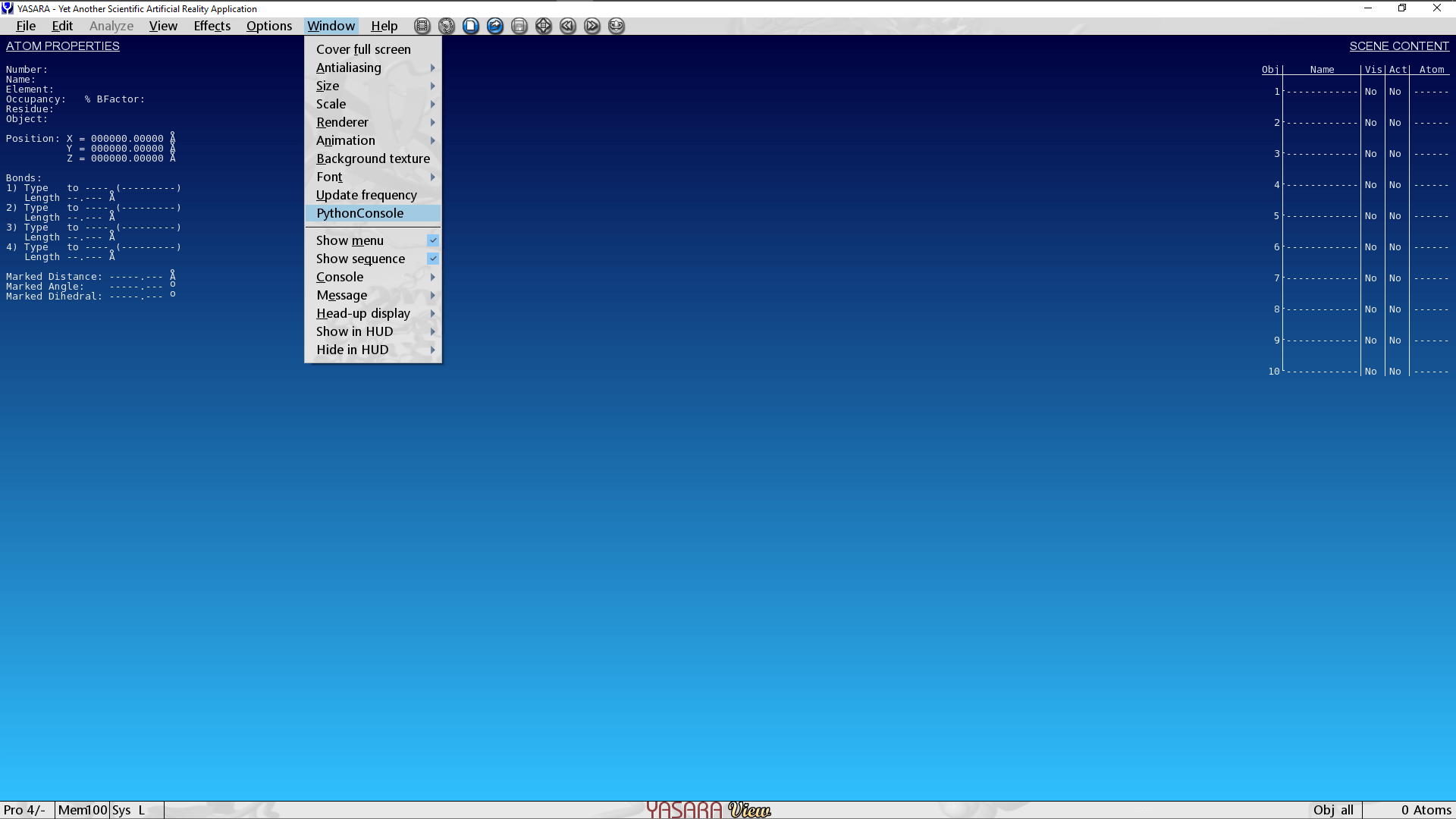
If everything has gone well, you will see a “Python Console” option added under the “Window” menu option:
Installing from scratch
A typical full installation process is divided into three parts:
Install YASARA
Go to this URL to download YASARA View. This is the entry level YASARA and freely available.
You will soon receive an email with a unique URL that leads to an installer executable. This installation process is identical for all “stages” of YASARA.
The installer is a self-extracting executable that will install YASARA in a
yasara/directory right in the Current Working Directory. This installation location is referenced throughout the documentation as<YASARA_HOME_DIRECTORY>.This installs the main piece of software but YASARA will attempt to pick up the currently active Python interpreter when it launches. It is now important to ensure that the “currently active” Python interpreter has the necessary pre-requisites installed. This is achieved in the following steps.
Install Python or a virtual environment
On MS Windows:, the quickest option would be to install some “flavour” of conda
On Linux:, the quickest option would be to use virtualenv
Create a virtual environment making sure that all the packages mentioned in
requirements.txtare included.YaPyConrequiresPyQt5, IPython, qtconsole, Sphinx, rpyc
Activate the virtual environment that has the pre-requisites installed.
Install the YaPyCon plugin
If your system now includes a working YASARA installation with a properly prepared virtual environment, you are
now ready to install and launch YaPyCon.
The steps to do this are identical to the description in Quickstart
Removing YaPyCon
To uninstall YaPyCon, simply run the script uninstall_plugin from the decompressed YaPyCon release archive.